Product
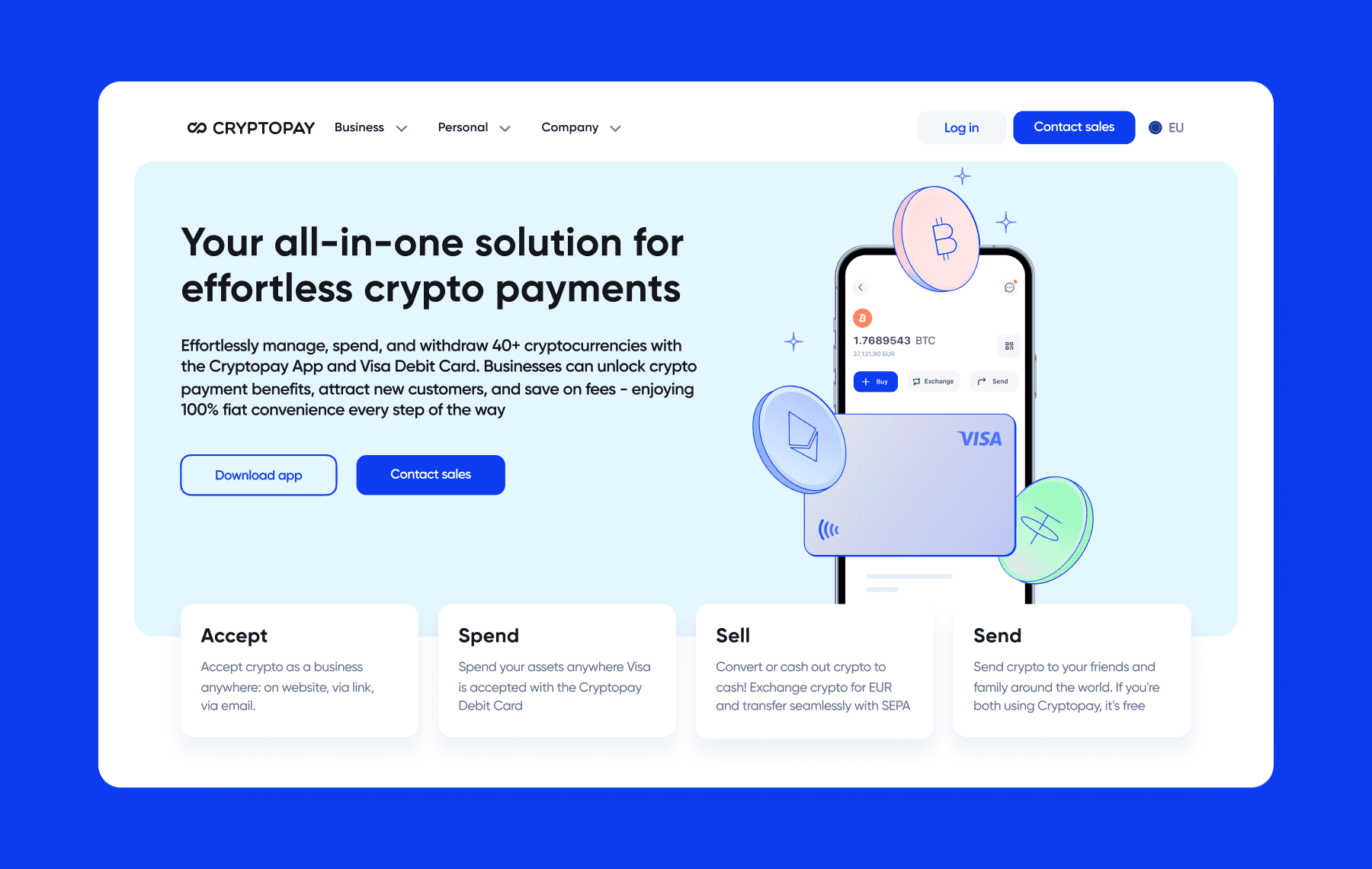
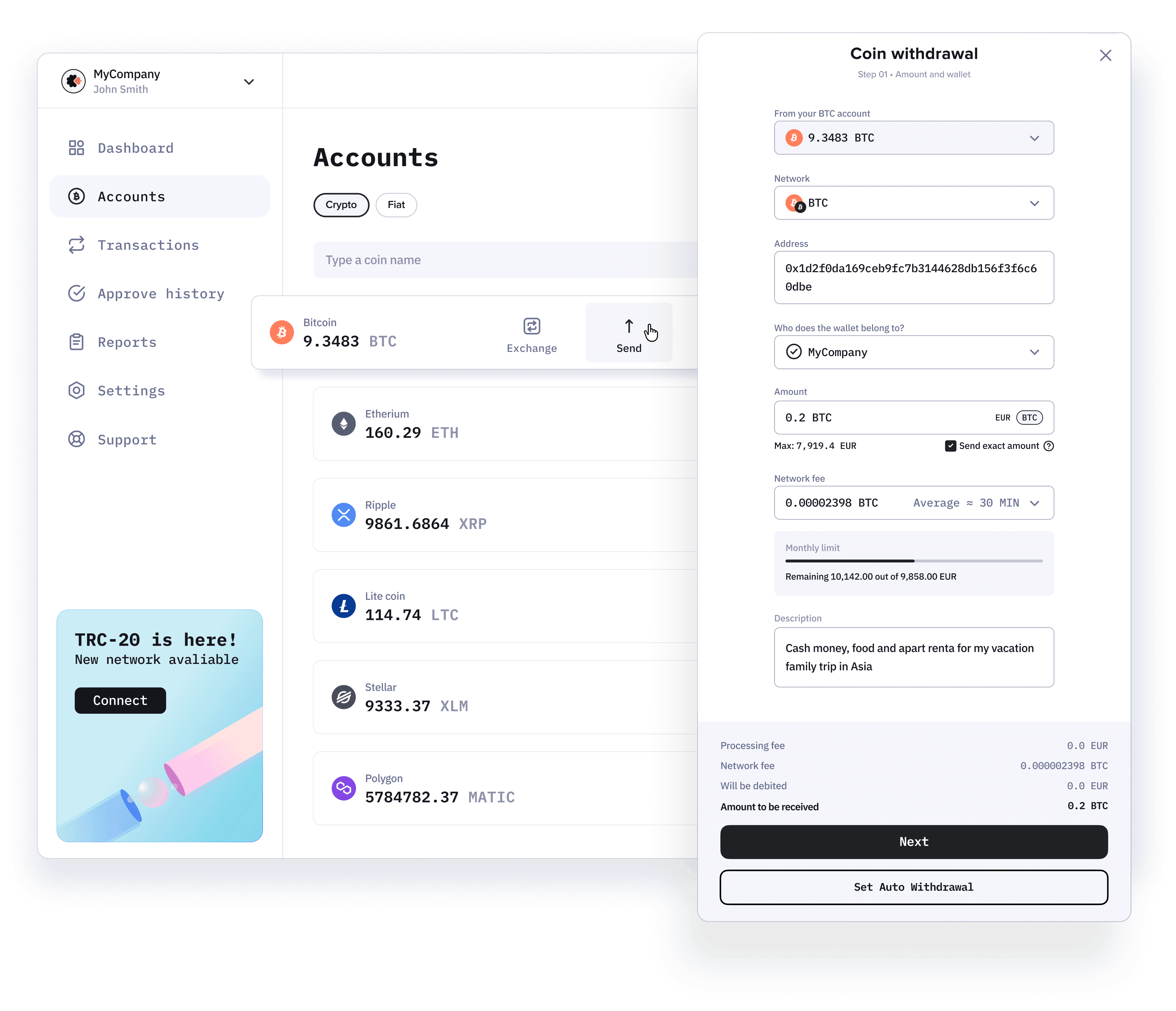
The funds output widget is part of the B2B cabinet toolkit: the main interface for essential financial operations with crypto and fiat. A tool for our users – merchants, every day.
Task
•
Increase the speed of case processing
•
Reduce the risk of incorrect shipping
•
Reduce support requests:
"Why can't I enable auto withdrawals?"
•
Enhance the current scenarios
•
Translate the widget to design system components
Success criteria
•
Metric growth time to goal
•
Reduction in the number of support requests related to auto withdrawals
•
Reduction of error rate
•
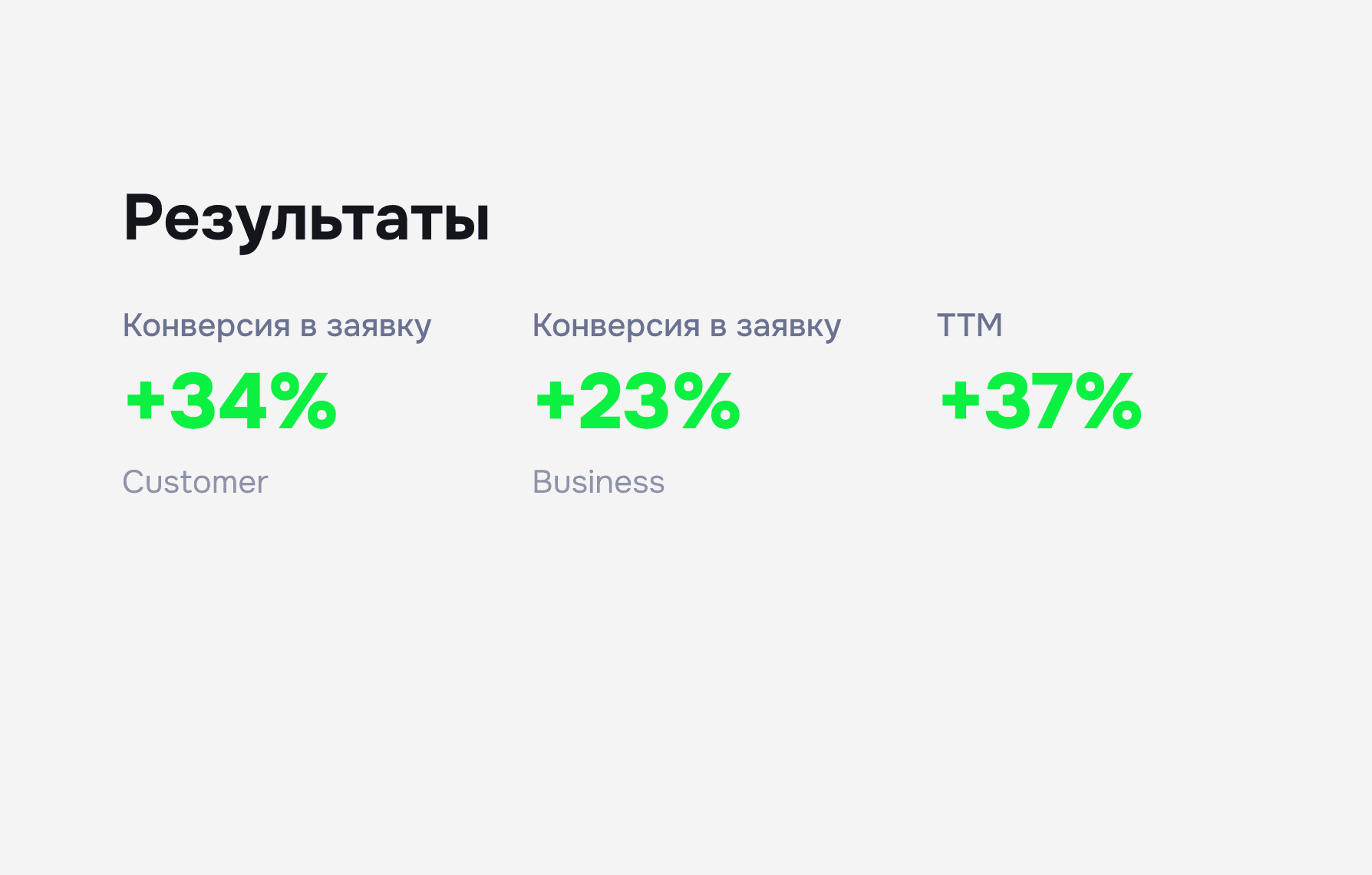
Growth of TTM metrics
My role
•
Conducted a review of the current version
•
Prepared hypotheses
•
I designed the first version
•
Gathered feedback
•
Designed the second version
•
Prepared components for the design system for the new implementation
•
Increased the efficiency and performance of the product
Goals
Time until the goal
-32%
New UI (TTM)
-20%
Error handling
-28%
Support requests
-72%
regarding auto withdrawals
Problems
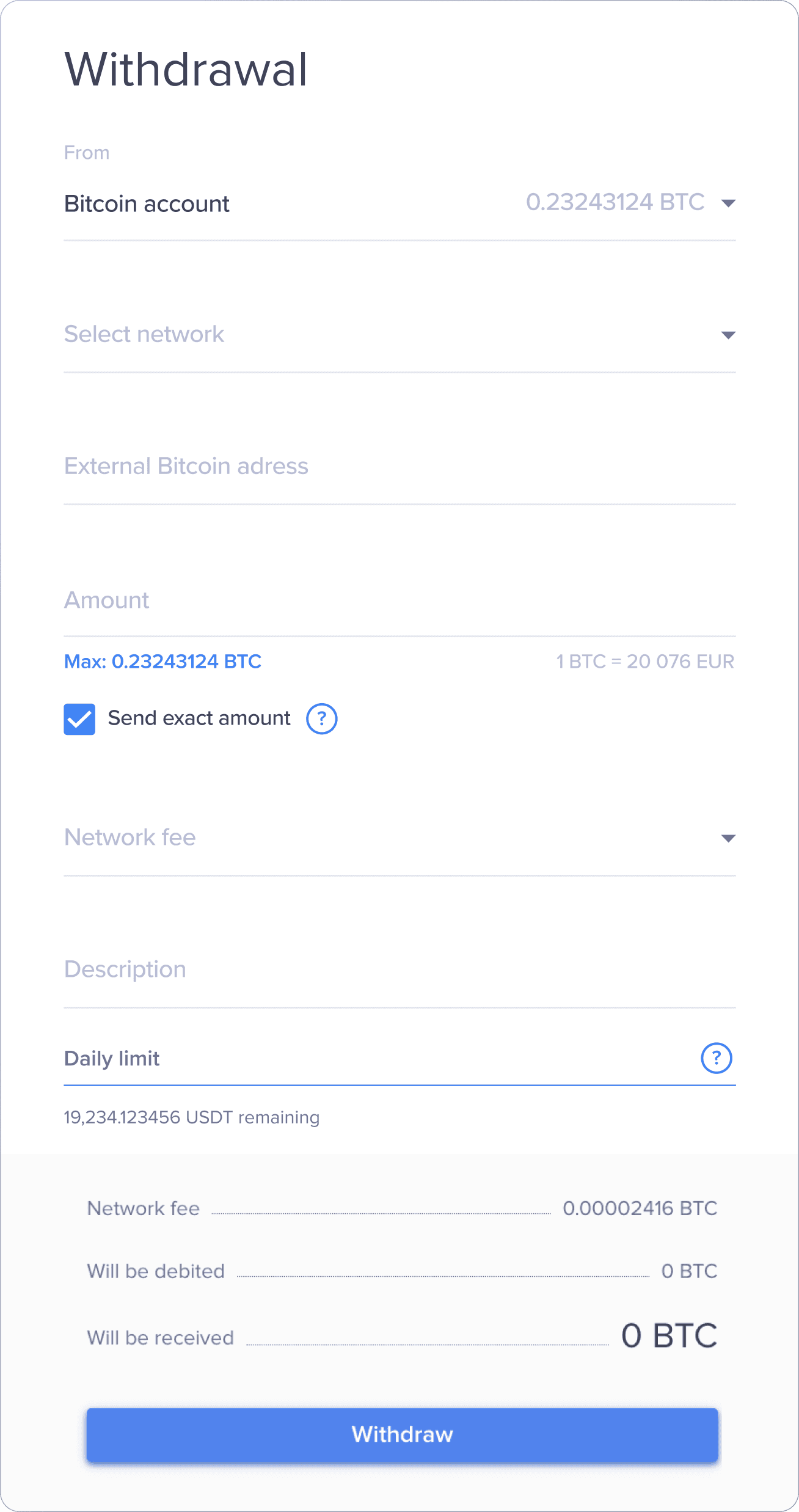
The AS IS version worked in a popup, its main drawback was that the window did not fit on the screen in height. The team did not want to change the current solution as this meant a long release time. I carefully studied the current version and collected all the pain points in a report.
Issues
V 1.0
Users find it difficult to enter data: the window
did not fit on the screen and jumped up
when states changed. This led to a loss of focus, increased the time taken, caused errors, and resulted in complaints to support.
There were no coin icons, which created the risk of incorrect sending.
The limits widget was not reliable: it always showed a filled progress
bar – this confused users and led to questions
in support
Users did not understand what prevented them from enabling auto-replies, as the battle scenarios were
not finalized: this overloaded support
Outdated UI: weak font contrast, dirty shadows, inconsistent margins, unattractive messy interface
Withdrawal widget
AS IS
Updates
Design system
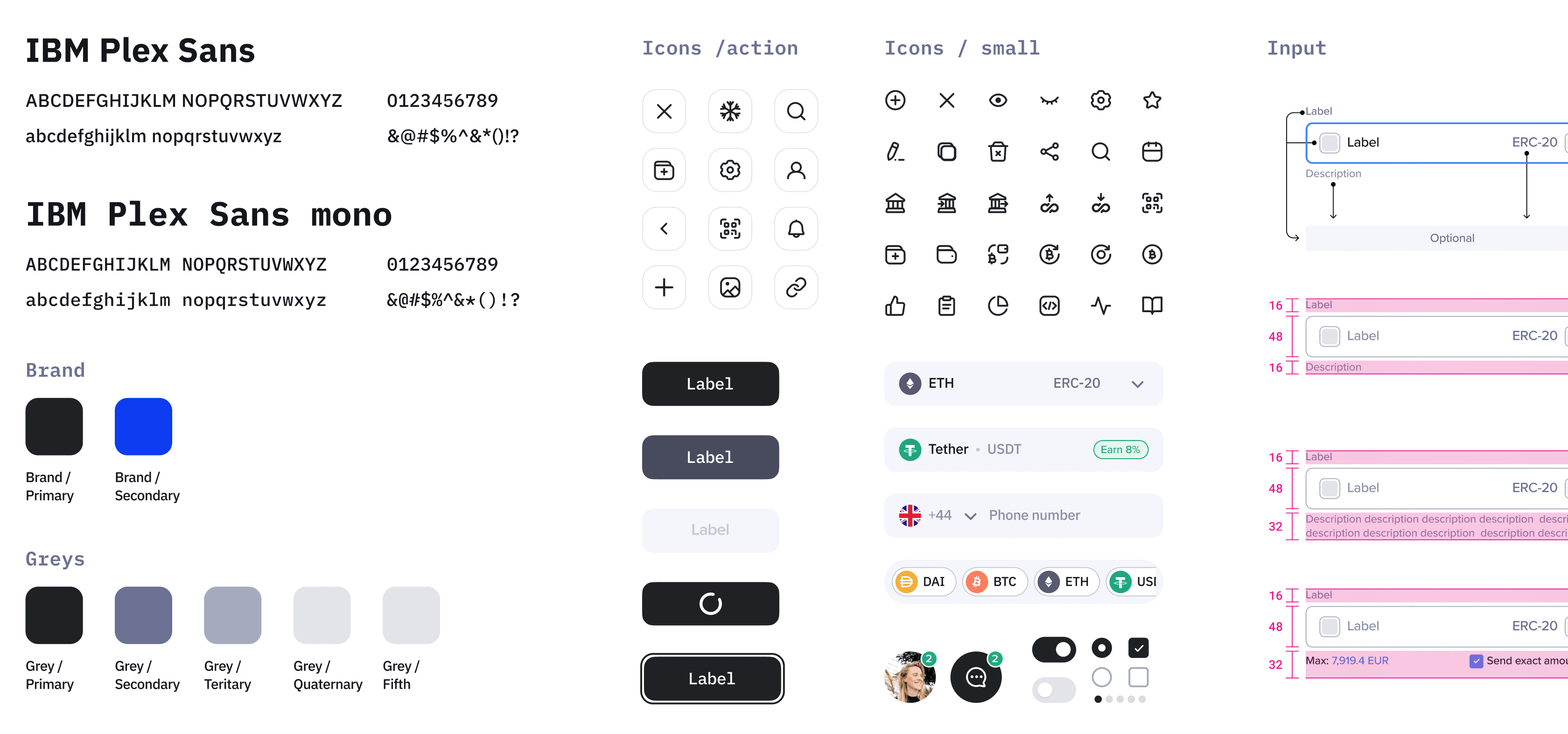
Since the cabinet still needed to be translated to new components, and the design system was outlined in the product roadmap, together with this case we decided to launch the MVP
and with subsequent iterations of redesigns we would build up the component base.
Iteration 01
V 1.5
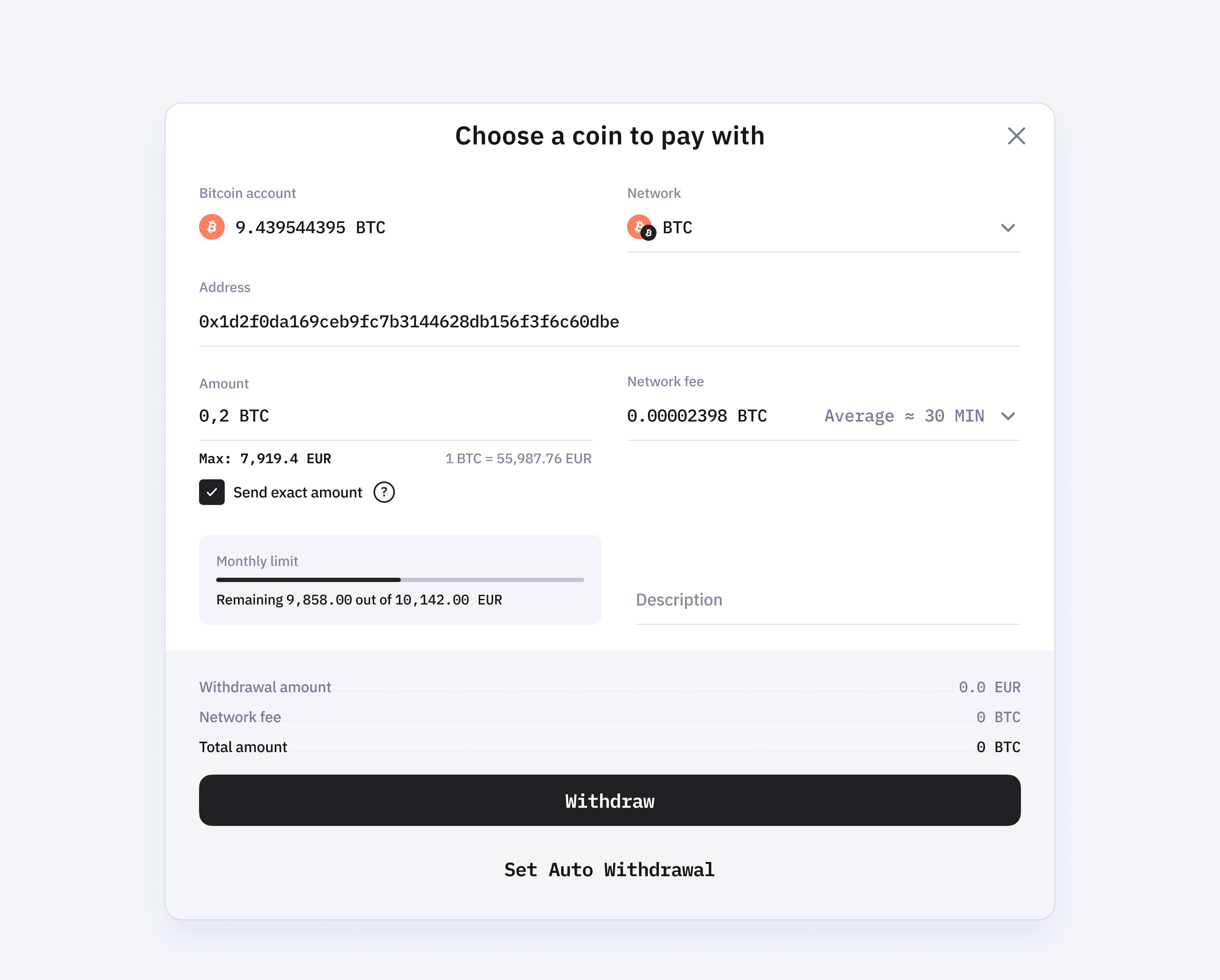
In the first version, the input fields were postponed because it could have caused a significant regression, but I secured a commitment that they would be implemented in the update.
Withdrawal Widget v 1.5
TO BE
The solution
01
The window has been restructured into two columns to fit in height, and the layout of the fields has been organized in such a way that they continue one after another – this has accelerated the input.
02
Added coin and network icons, which reduced error reports.
03
The limits widget has been fixed – users stopped asking questions:
«How does this work?»
04
Added hints
05
We added an auto-output script
(more on this below)
Goals
Time to target: -39%
Error messages: -13%
Script refinement
TO BE
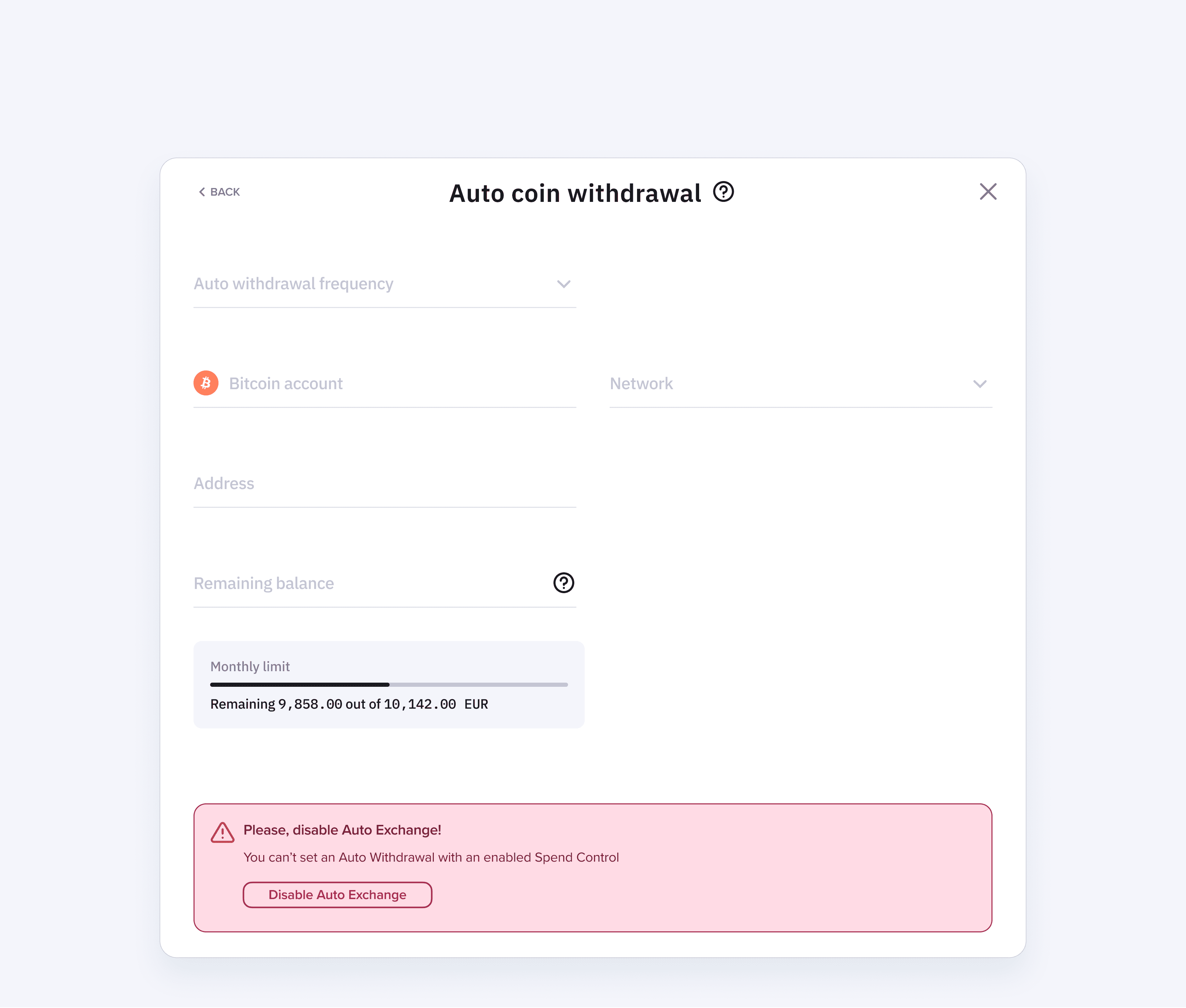
Scenario blockers
Spend control
Auto Exchange
The solution
01
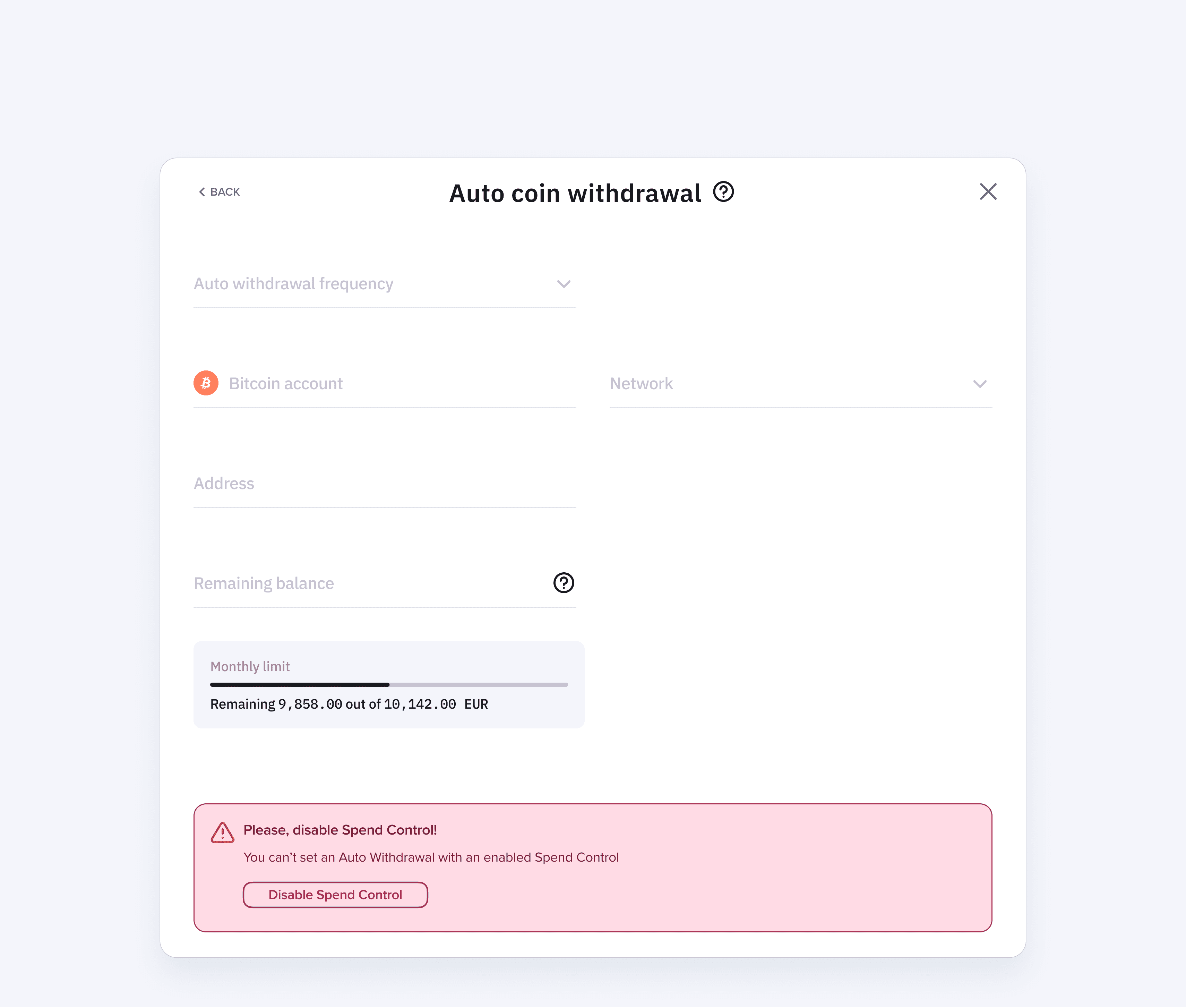
In the first version, blocking scenarios were not processed: such scenarios
did not allow auto-output to be activated
02
The management of disabling option blockers was not directly linked in the interface with the widget. As a result, there were a large number of questions
from users and a load
on support. I streamlined the scenarios by adding a notification and control management inside the widget itself.
Goals
Inquiries to support
regarding 'Why can't I enable automatic payouts?': -61%
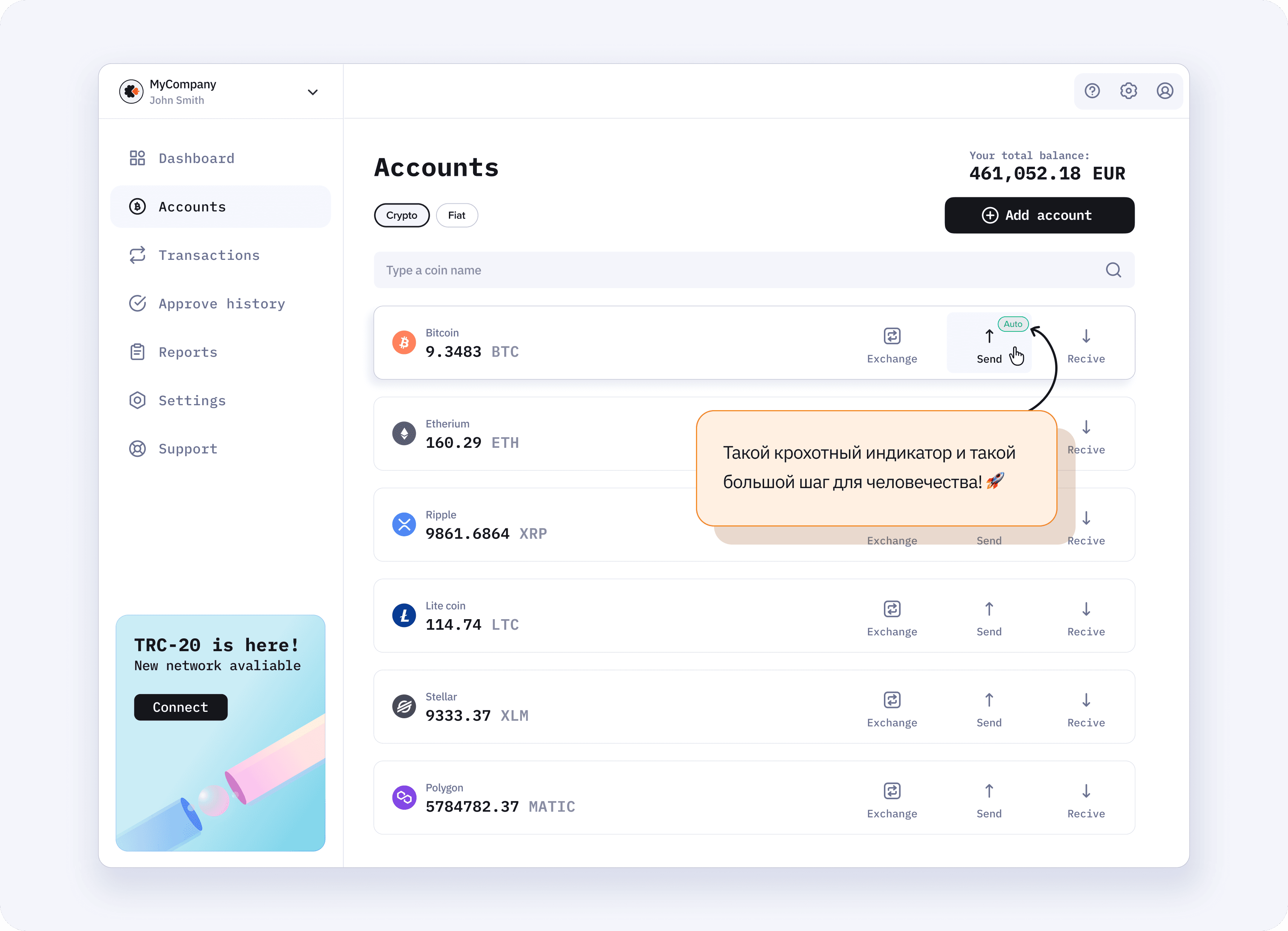
Badge auto on the account badge
The solution
01
In the first version, after the activation of
auto withdrawals, the interface did not
highlight to the user that the selected coin was now connected to auto withdrawal. Naturally, this led to questions and errors.
02
We added a badge to the selected coin’s banner and reduced the error rate and the load on support.
Result: successful changes,
key success indicators and pain points are addressed, but the final decision
was influenced by an external factor, in the form of
new regulator requirements...
Goals
Error handling: -10%
New challenges
V 1.6
Enhanced regulatory requirements
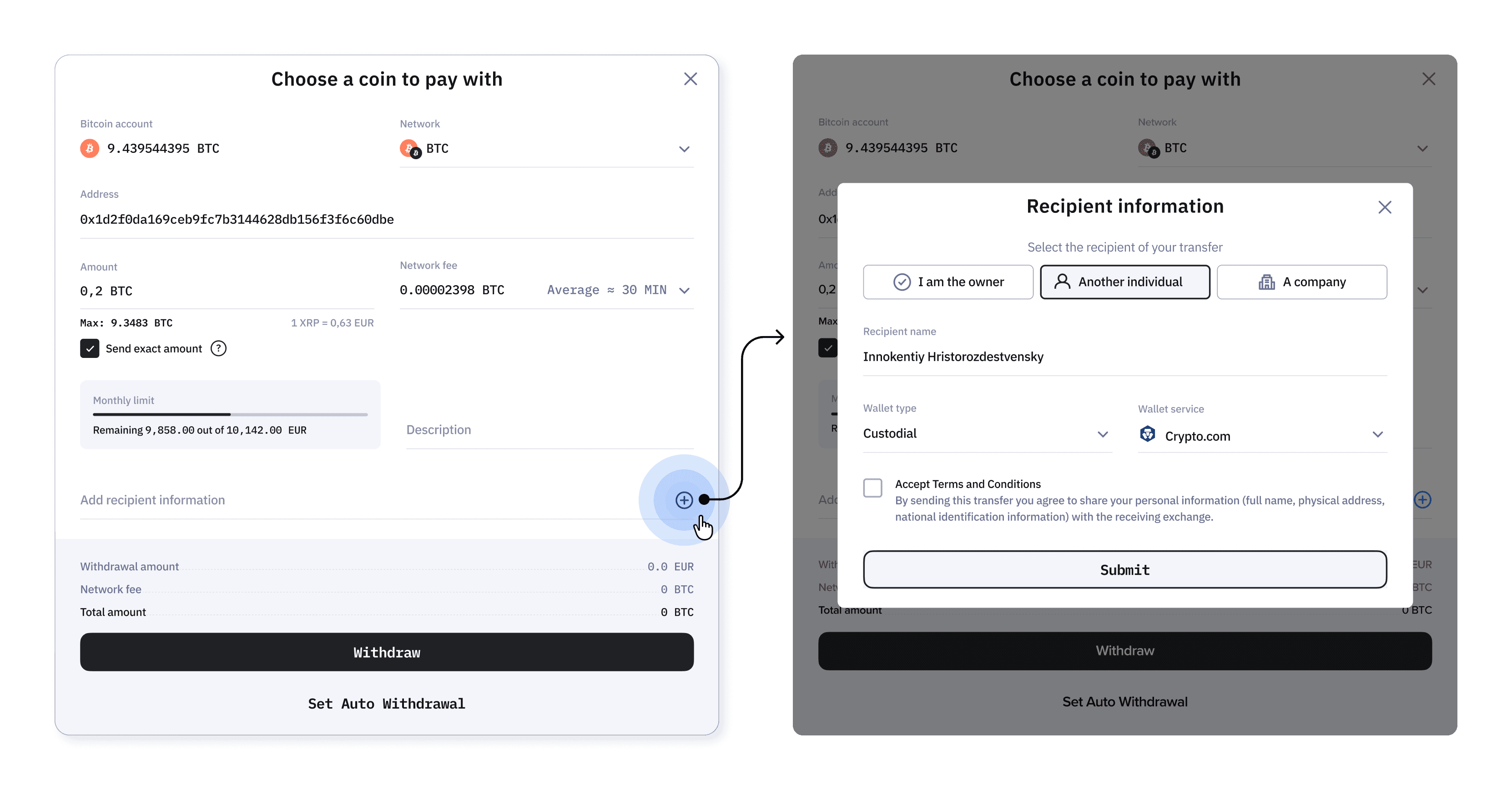
We made our adjustments to the current version, requiring us to collect recipient data, which meant that the number of fields would increase significantly!
Issues
The version turned out to be good in the current implementation, but unfortunately, poorly scalable. No one expected that
the number of fields could increase several times!
In the first urgent iteration, a popup was added over the current window: the workaround was forced because the speed affected the license and the company's reputation.
Iteration 02
In 2.0
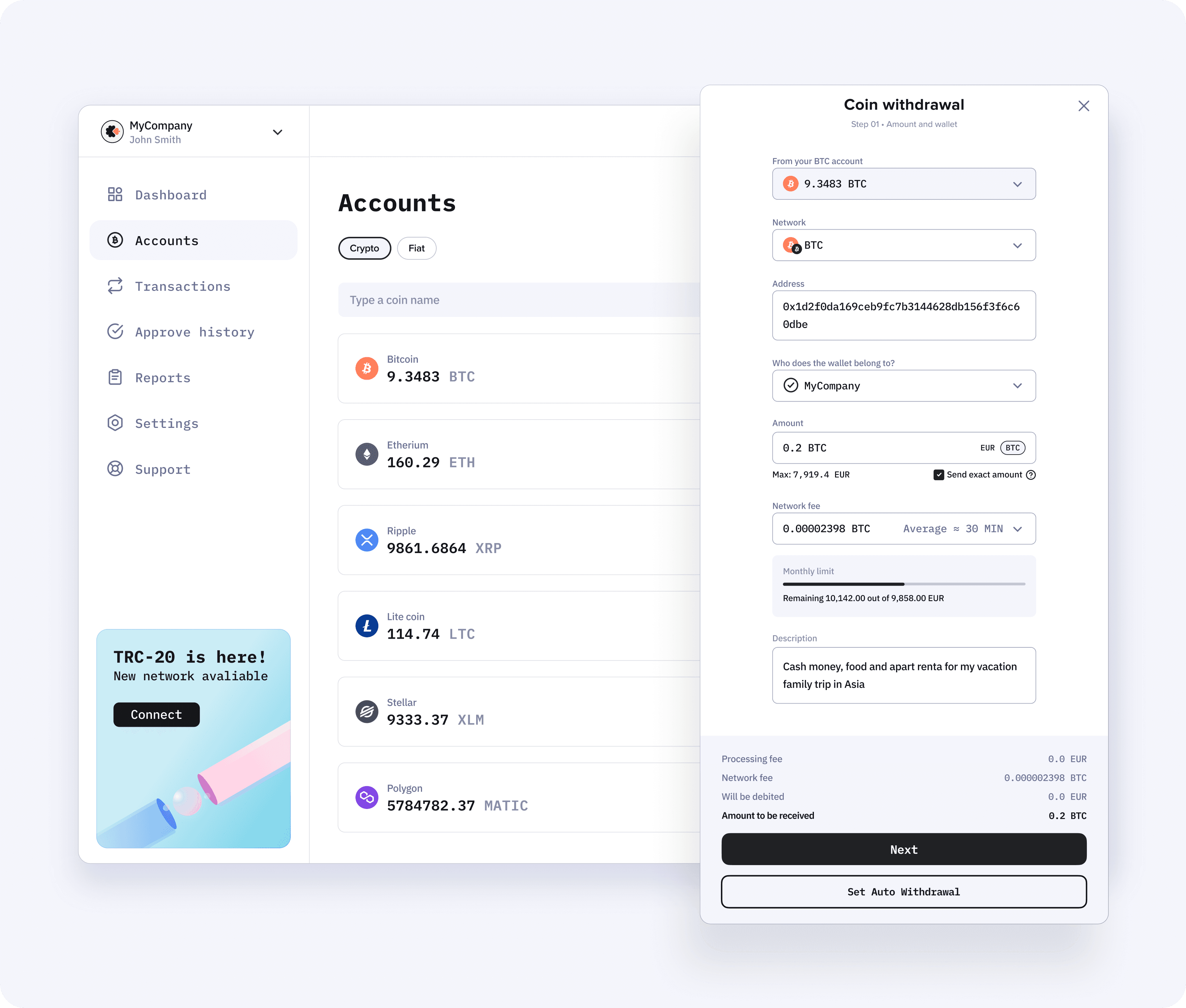
After implementing the intermediate version, it was necessary to rewrite the scenario taking into account all the new inputs, so that the flow would not become too long and complicated. My team and I decided to use a drawer.
TO BE
Decision
01
The drawer had a number of advantages over the popup: it utilized the entire height of the screen.
02
Predictable workload for the user. After scrolling down, it was immediately clear how many fields needed to be filled out.
03
You could add as many fields as you wanted (it's convenient to scroll the drawer)
04
We abandoned the separation into steps so that the user understands the relationship between the choices and the switching of different UI controls in the moment.
05
The previous version made it clear to us that vertical field filling seemed more convenient for some users. Therefore, we returned to a single column!
06
The drawer was well suited for other similar cases, as the other windows in the office had not been redesigned for the new format. The solution could be scaled.
Goals
Time to goal: -32% (the indicator has slightly worsened since new fields were added)
Error handling: -28%
Support inquiries regarding "Why can't I enable auto withdrawals?": -72%
New UI (TTM): -20%
Goals
After completing the layout, we quickly gathered a group of 8 respondents and additionally validated our solution through corridor studies.
This allowed us to improve the texts in the interface
and additionally ensure that this solution is indeed better than the previous one
V 1.5
Goals
Time to target: -39%
Error messages: -23%
Support inquiries regarding
"Why can't I enable automatic withdrawals?": -61%
In 2.0
Goals
Time until the goal: -32%
Error messages: -28%
Support inquiries about
"Why can't I enable automatic withdrawals?": -72%
New UI (TTM): -20%
Success metrics
Time until the goal
-32%
New UI (TTM)
-20%
Error handling
-28%
Support requests
-72%
regarding auto withdrawals
Conclusions
This case underscores how important it is to consider
external factors in design and to remember that
scalability is a very important quality of the interface, even in those cases where it seems
not so important!
Teamwork and measurable indicators along with qualitative research have helped us achieve an improved user experience, as well as results aimed at business development.